Table of Contents
Most online merchants have heard about AI agents in 2026 — but very few have actually deployed one in their store. The reason isn’t the AI itself. It’s the wall of setup steps standing between merchants and their first working agent.
This guide explains what TryOpenClaw is, how it removes that wall, and what online stores typically use it for.
What an AI agent actually does for an online store
An AI agent is software that takes a request in plain language, breaks it into steps, and executes those steps end-to-end without supervision. That last part is what separates an agent from a chatbot. A chatbot replies. An agent does the work.
Three concrete examples make this easier to picture:
- A support agent reads new tickets in your Gmail, Messenger, and Shopify Inbox, then drafts replies in your store’s voice.
- A research agent compares pricing and promotions across your top five competitors every Monday morning, then leaves a summary in your Notion or Slack.
- A content agent writes SEO-friendly product descriptions for newly added SKUs, including alt text and a short translation for each market you sell in.
In each case, you’re not prompting the AI in real time. You’re assigning it a job and letting it run.
Why most merchants haven’t deployed one yet
The blocker is rarely the AI. It’s the setup.
Open-source agent platforms like OpenClaw are powerful, but using them on your own machine usually means cloning a repo, running Docker, resolving dependency conflicts, configuring environment variables, managing API keys, and keeping the process alive 24/7 so the agent doesn’t quietly stop running while you’re asleep. For a non-technical merchant, that list reads like a different job than the one they signed up for.
One developer in the OpenClaw Vietnam community described spending an entire weekend trying to get OpenClaw running locally — and still didn’t have a stable agent by Sunday night. If a developer hits that wall, a merchant doesn’t stand a chance.
Setup, in other words, is its own barrier. For most stores, it’s the only barrier between them and an AI agent that pays for itself in saved hours.
Introducing TryOpenClaw
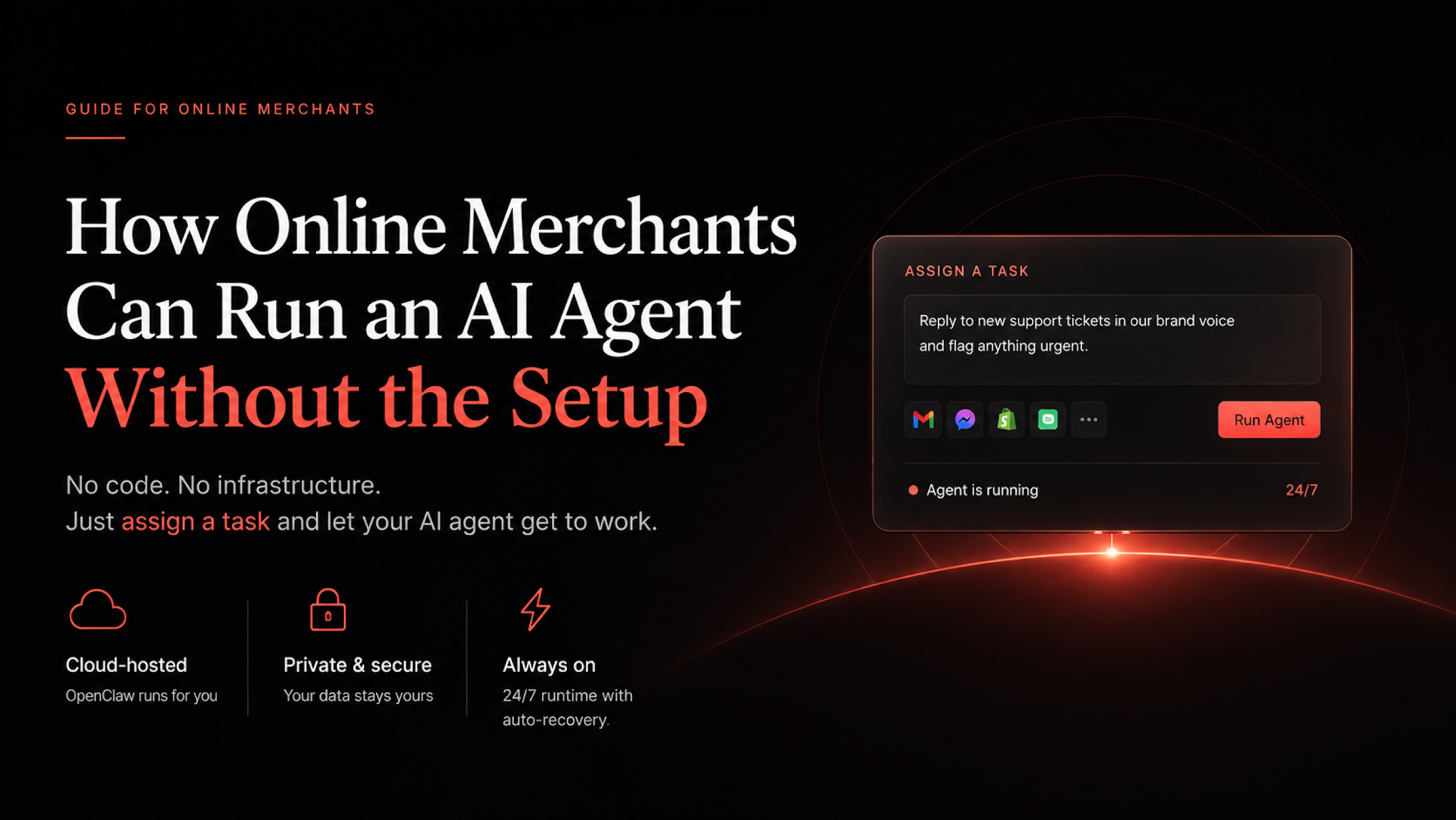
TryOpenClaw is a private-cloud platform that runs OpenClaw for you — no Docker, no dependencies, no maintenance. You sign up, pick a plan, and the system spins up a private environment running OpenClaw in the background. From the merchant’s side, there is no install step. You start by assigning tasks, not by configuring infrastructure.
Three characteristics define how TryOpenClaw is built:
Each agent runs in a private, isolated environment. Your data isn’t shared with other tenants on the platform, and it isn’t used to train any AI models. For merchants handling customer messages, order data, or anything covered by privacy regulation, this matters.
The agent runs continuously, with auto-recovery. A self-hosted setup tends to crash, drift out of sync after an update, or quietly stop processing tasks until someone notices. TryOpenClaw is designed to keep the agent alive 24/7 and restart it automatically when something goes wrong.
There is no setup step. No Docker, no port errors, no dependency hell. The platform handles infrastructure so the merchant can stay focused on what to assign the agent.
It’s also worth noting who builds it. TryOpenClaw is made by FireGroup — the same team behind Ali Reviews, Transcy, OneMobile, OneLoyalty, and TrueProfit, apps that already run on tens of thousands of Shopify stores. For a merchant evaluating a new AI tool, that track record reduces the “another startup that disappears in 6 months” risk.
How TryOpenClaw works
Going from sign-up to your first running task takes about two minutes.
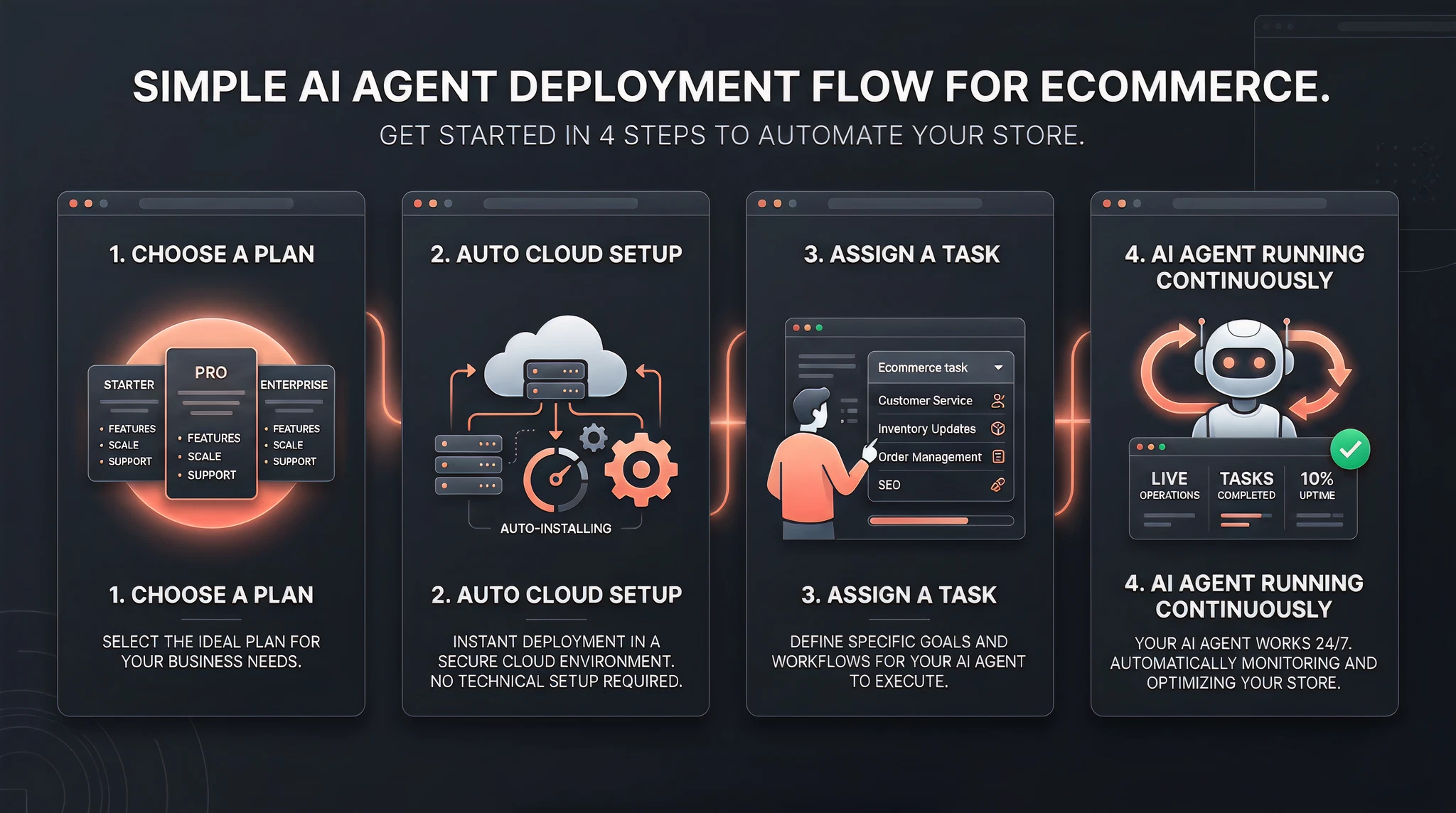
Step 1 — Choose your plan. You pick a tier sized to the workload you have in mind. Lighter tiers handle support replies and content drafting; heavier tiers handle continuous monitoring jobs like competitor tracking or live-stream moderation. Pricing is flat monthly, and there’s a refund window in case the platform isn’t a fit.
Step 2 — The system auto-initializes. TryOpenClaw provisions a private cloud environment in the background. There is no software to install on your computer and nothing to configure beyond logging in.
Step 3 — Assign your first task. You log into the dashboard, type the task in plain language (“reply to new support tickets in our brand voice and flag anything urgent”), connect the relevant accounts, and the agent gets to work.
Most merchants describe the experience as more similar to hiring a remote assistant than to deploying software. There’s no install screen, no API key form for the underlying model, no “now configure your runtime” page.
What TryOpenClaw connects to
Online stores rarely live in one tool. A typical Shopify merchant operates across the storefront itself, an email marketing tool, a customer messaging app, ad accounts on Meta and TikTok, a review platform, and a few internal docs in Notion or Google Drive.
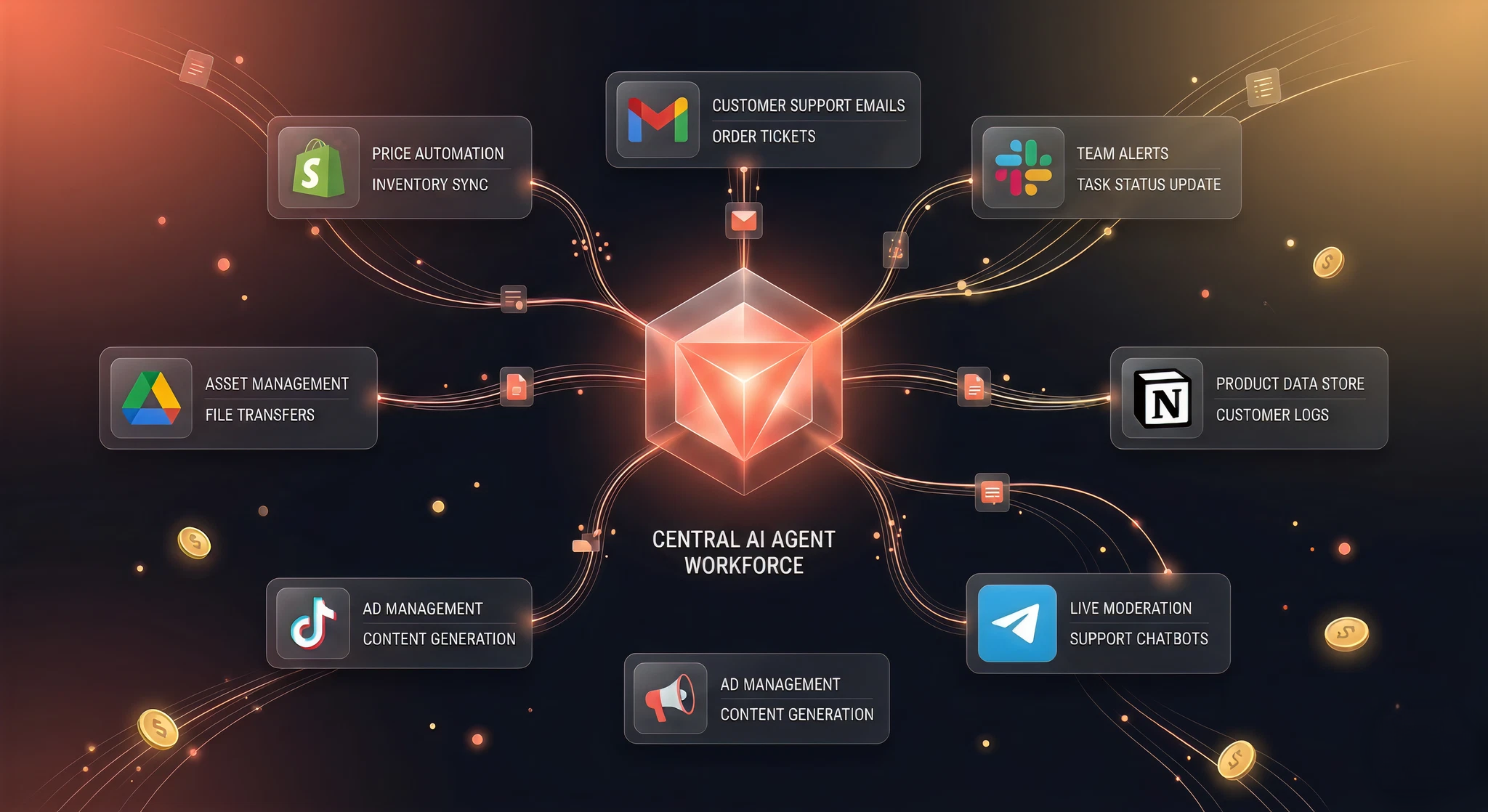
TryOpenClaw is built to reach across those tools. Out of the box it connects to channels merchants already use every day — Gmail, Google Drive, Notion, Slack, Telegram, Discord, Zalo, Facebook, Instagram, LinkedIn, GitHub, Figma, and TikTok — so a single agent can read a support ticket from one channel and post the resolution in another without you stitching it together by hand.
For merchants, that means an AI agent doesn’t have to be one more silo. It can sit on top of the stack you already run.
What store owners actually assign to TryOpenClaw
The most useful way to understand TryOpenClaw is to look at the kinds of jobs merchants are already running on it. A handful of patterns come up repeatedly.
Customer support across channels. A single agent monitors Shopify Inbox, Gmail, Messenger, and Zalo, drafts replies in the store’s tone, escalates anything sensitive (refunds, complaints, sizing disputes) to a human, and logs every conversation back into the merchant’s CRM.
Product listing content. When a merchant uploads a new batch of SKUs, the agent generates SEO-friendly titles and descriptions, writes alt text for each image, and produces translated versions for every market the store sells in.
Ad copy variants. Marketing teams use the agent to generate three to five variants per ad creative — different hooks, different CTAs, different tones — without rewriting prompts every time a new product launches.
Competitor and market tracking. The agent visits a defined list of competitor stores on a schedule, flags pricing changes, new product drops, or active promotions, and delivers a Monday-morning summary in Slack or Notion.
Order operations. For stores moving real volume, the agent reads CSV exports, reconciles discrepancies, generates fulfilment reports, and notifies the right people when something doesn’t add up.
Content scheduling. Blog posts, social captions, and email newsletters get drafted, scheduled, and cross-posted by the agent — with the merchant approving the final version before it ships.
For the full set of merchant-relevant use cases, TryOpenClaw maintains a public catalogue at https://tryopenclaw.io/use-cases/.
Is it safe to run an AI agent on customer data?
This is the question merchants ask first, and rightly so. A few points worth being explicit about.
Do I need to know how to code? No. The dashboard accepts tasks in plain language. The agent handles the technical translation.
Does it integrate with my Shopify store? Yes. TryOpenClaw can connect to Shopify directly and to most of the apps surrounding it (email, messaging, ad platforms, docs). The exact list of integrations is on the product page; if a connection you need isn’t there yet, the team accepts custom requests.
Is my customer data shared or used to train AI models? No. Each agent runs in an isolated environment. Data is not shared with other tenants and is not used as training data.
What if it doesn’t fit my store? TryOpenClaw publishes a refund policy on its site, so a merchant who tests it and finds it isn’t a fit can recover the cost. Results, of course, depend on what the merchant assigns; an agent isn’t magic, and outcomes vary by use case and how clearly the task is defined.
Getting started
Setting up an AI agent doesn’t have to be a weekend project. For most merchants, the gap between “I should try this” and “an agent is replying to my support tickets” is roughly the time it takes to make a coffee.
If you’d like to see what that looks like in your own store, you can start at https://tryopenclaw.io/. The platform offers a refund window, so the cost of trying is bounded. The cost of not trying — another quarter of doing routine tasks by hand — usually isn’t.



 yet? Create store